> ## Documentation Index
> Fetch the complete documentation index at: https://docs.chemcloud.com/llms.txt
> Use this file to discover all available pages before exploring further.
# Quickstart
> Automate your first RFQ to suppliers in under 3 minutes
Get started by automating RFQs to your suppliers in just three simple steps. Once you've experienced how convenient this is - we can upload all of your products into the app. See more in Onboarding page.
## Make a request in four easy steps
Select product for a request
Add the suppliers you want to include in the request
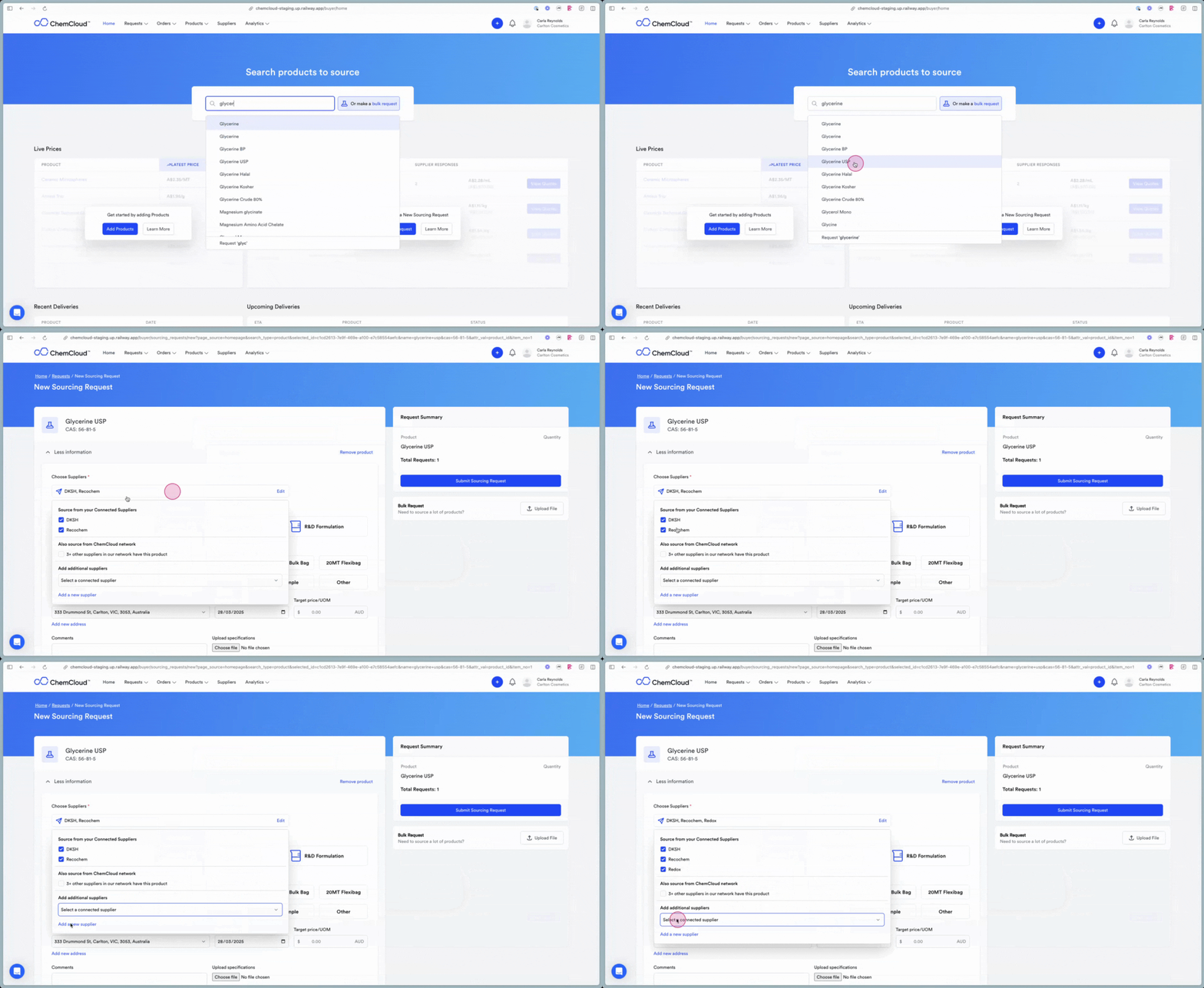 Add details including pack type, number of packs, delivery address, required by date and comments.
This will send an individual email to each account manager
## What happens next?
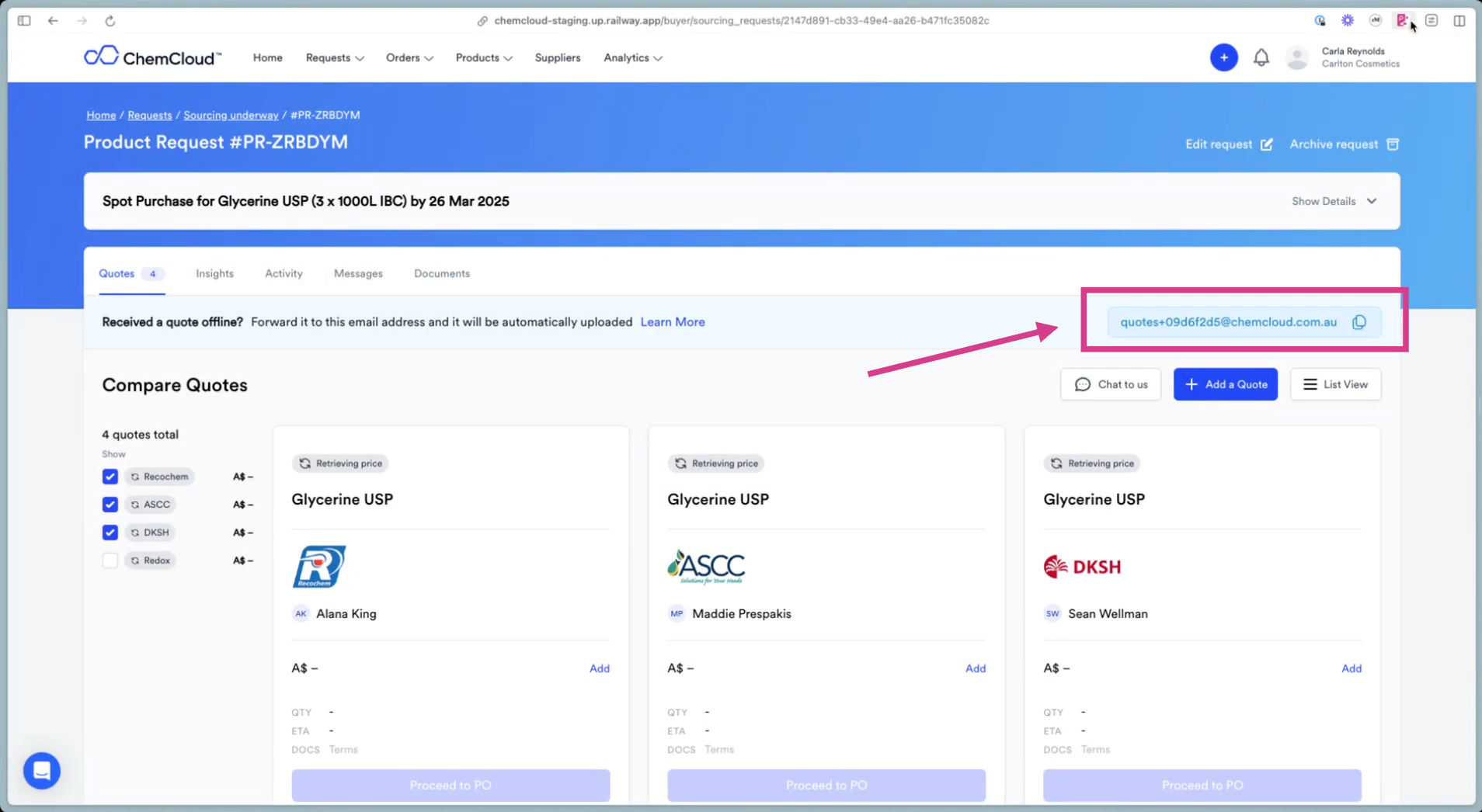
Responses will be directed back to your email address. You can foward them to the AI Quote Ingestor, and they will be stored in ChemCloud for your review.
Add details including pack type, number of packs, delivery address, required by date and comments.
This will send an individual email to each account manager
## What happens next?
Responses will be directed back to your email address. You can foward them to the AI Quote Ingestor, and they will be stored in ChemCloud for your review.