> ## Documentation Index
> Fetch the complete documentation index at: https://docs.chemcloud.com/llms.txt
> Use this file to discover all available pages before exploring further.

# @Mention Someone

> @Mention a colleague in a note to collaborate

## Start collaborating with team members straight away

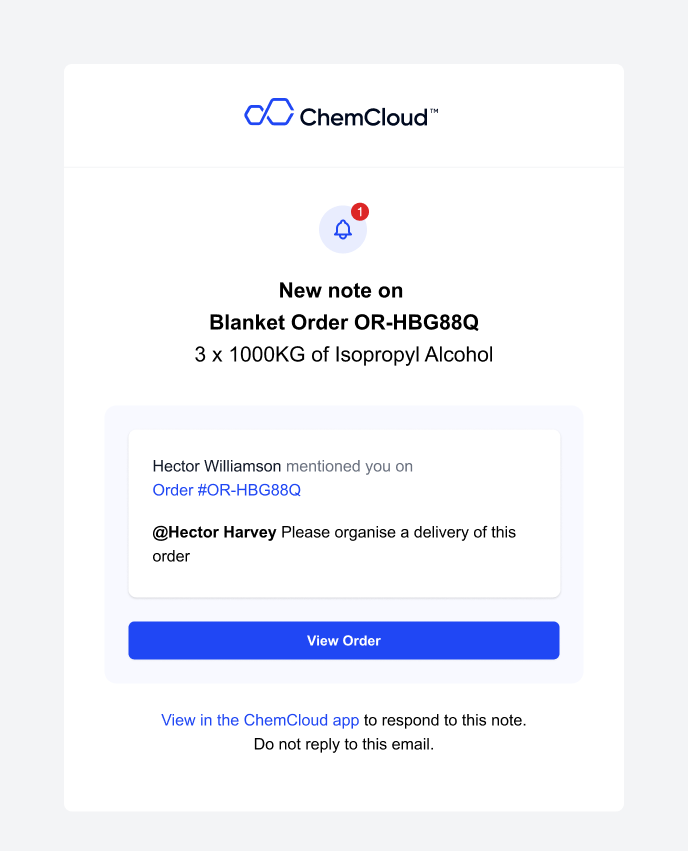
You can 'Mention' a colleague by using the @ - and they will receive an email with your note.

Say goodbye to long email threads without context, and start collaborating on ChemCloud.
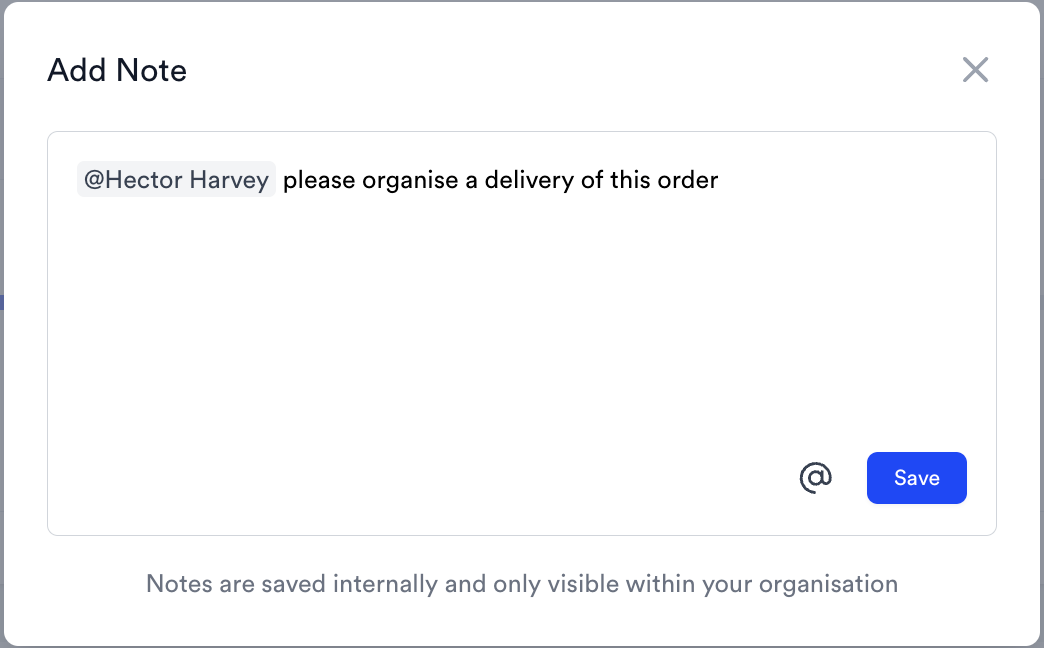
<img src="https://mintcdn.com/chemcloud/5MWkisyR6XT4-rTG/images/note.png?fit=max&auto=format&n=5MWkisyR6XT4-rTG&q=85&s=9b3688a963ce4c2ee874111296290f9f" alt="Note Pn" title="Note Pn" style={{ width:"80%" }} width="1044" height="648" data-path="images/note.png" />

<Accordion title="See what the email looks like" icon="camera">
  <img src="https://mintcdn.com/chemcloud/5MWkisyR6XT4-rTG/images/NotificationEmail-2.png?fit=max&auto=format&n=5MWkisyR6XT4-rTG&q=85&s=5f9434af935707f6c8f385c7ac7b1efe" alt="Notification Email 2 Pn" width="688" height="851" data-path="images/NotificationEmail-2.png" />
</Accordion>

## How do I add a note?

Look out for the 'Add Note' button on a Request, an Order or an Approved Material.

### You can add notes from a table view\...
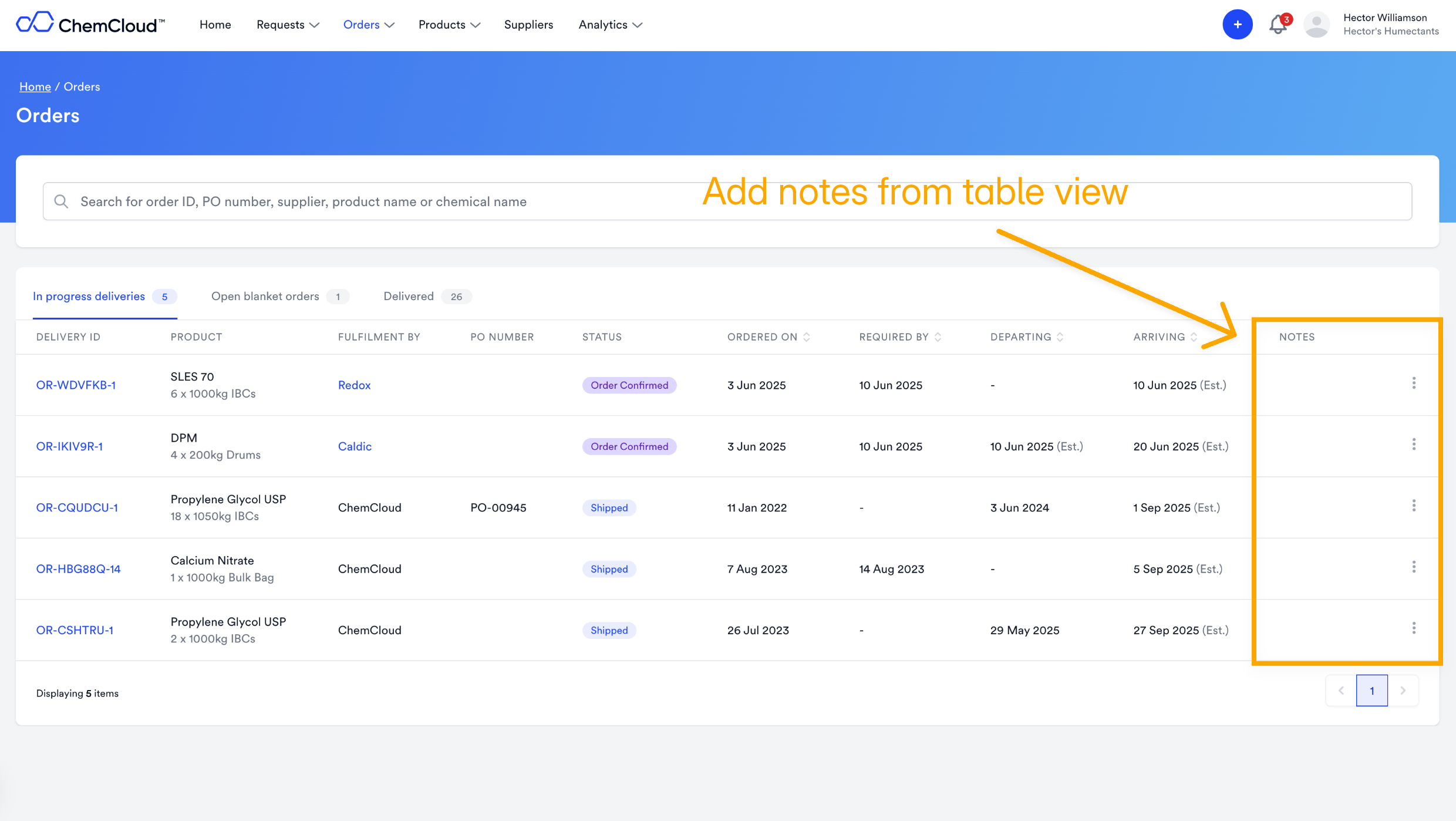
<img src="https://mintcdn.com/chemcloud/5MWkisyR6XT4-rTG/images/addnotesfromtable.png?fit=max&auto=format&n=5MWkisyR6XT4-rTG&q=85&s=ba69ec932e2c8784bd79952a766fa06f" alt="Addnotesfromtable Pn" title="Addnotesfromtable Pn" style={{ width:"79%" }} width="2480" height="1398" data-path="images/addnotesfromtable.png" />

### ... and on each Delivery, Request or Approval page
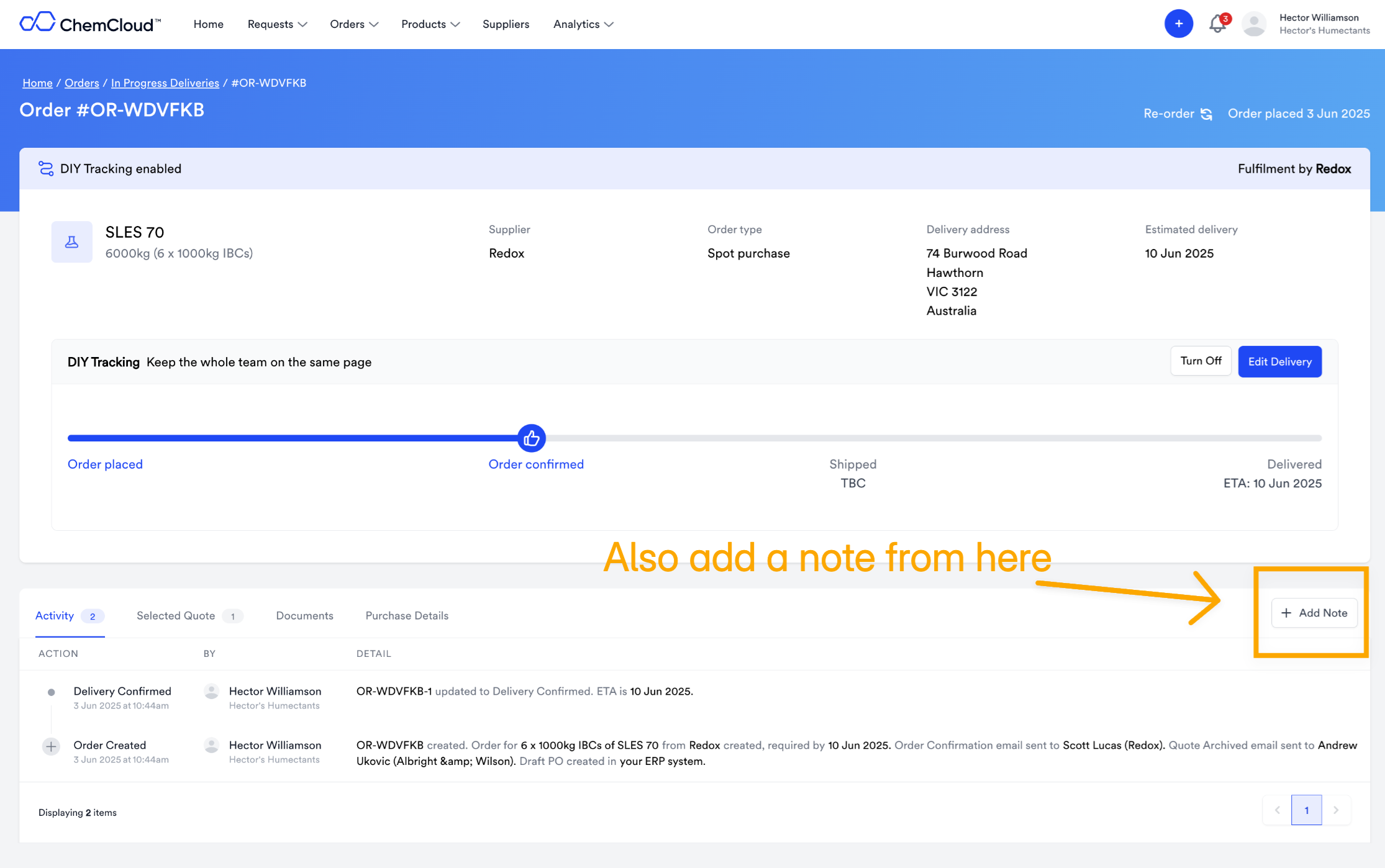
<img src="https://mintcdn.com/chemcloud/5MWkisyR6XT4-rTG/images/addnotefromdelivery.png?fit=max&auto=format&n=5MWkisyR6XT4-rTG&q=85&s=40986d74e85f145e0594e0e2f46ae3ae" alt="Addnotefromdelivery Pn" title="Addnotefromdelivery Pn" style={{ width:"79%" }} width="2230" height="1398" data-path="images/addnotefromdelivery.png" />